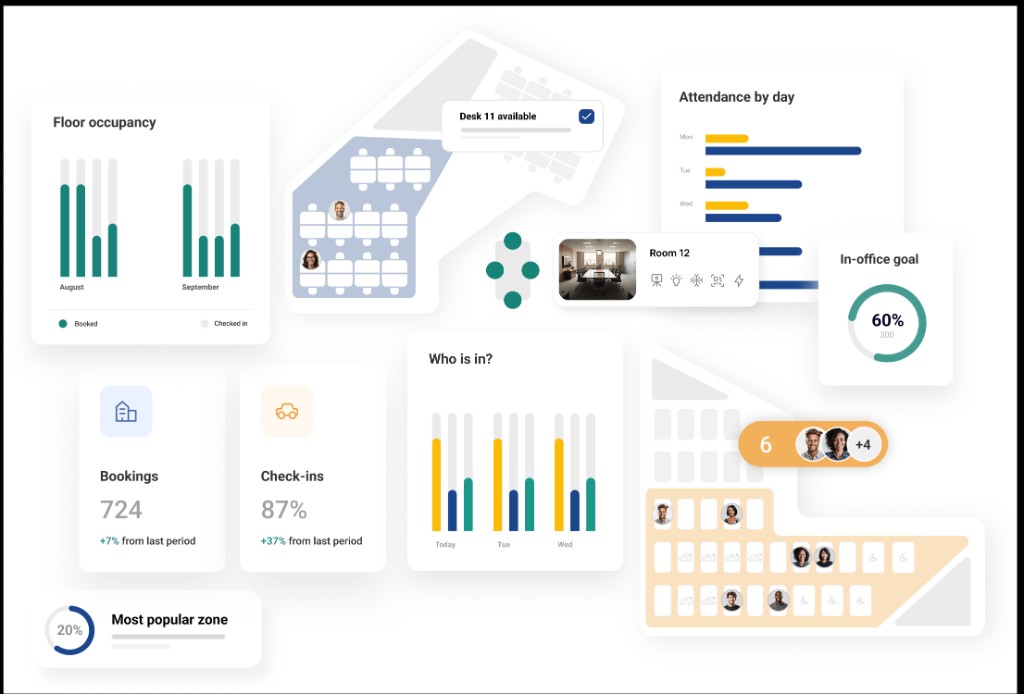
The right enterprise workplace management software decides whether a large organisation runs its buildings on data or on guesswork. It connects desks, rooms, space, utilisation, and often real estate and maintenance into one system that scales across sites and thousands of employees.
The category is growing fast. The integrated workplace management system market is projected to climb from around 3.5 billion dollars in 2025 to over 9 billion by 2035, driven by hybrid work, cost pressure, and the push to optimise every square metre.
It is also splitting in two. Large enterprises with complex portfolios still lean on traditional suites built for lease and asset depth, while the hybrid work layer increasingly chooses platforms built for employee experience, utilisation visibility, and fast deployment.
Below we cover the 10 platforms worth evaluating in 2026, what each does best, the features that matter at enterprise scale, the mistakes buyers make, and how to choose the right fit for your organisation.
10 best enterprise workplace management software for 2026
These are the 10 enterprise platforms we recommend evaluating in 2026:
- Ronspot
- Eptura
- IBM TRIRIGA
- Planon
- Archibus
- ServiceNow Workplace Service Delivery
- Robin
- OfficeRnD
- Envoy
- YAROOMS
| Platform | Best for | Category | Key strength |
|---|---|---|---|
| Ronspot | Hybrid workplace experience and booking | Experience-led | Desk, room, parking, analytics |
| Eptura | Broad worktech suite | IWMS plus experience | Space, asset, and maintenance breadth |
| IBM TRIRIGA | Complex real estate portfolios | Traditional IWMS | Lease, asset, capital depth |
| Planon | Facilities and real estate management | Traditional IWMS | Facility and portfolio management |
| Archibus | Asset and space lifecycle | Traditional IWMS | Space and asset lifecycle |
| ServiceNow | Workplace service delivery | Service platform | Requests and service workflows |
| Robin | Enterprise desk and room booking | Experience-led | Hardware and booking ecosystem |
| OfficeRnD | Growing hybrid and flex teams | Experience-led | Flexible workflows and maps |
| Envoy | Visitor plus workplace | Experience-led | Visitor management and desks |
| YAROOMS | Regulated enterprises | Experience-led | Compliance and governance |
1. Ronspot
Ronspot is a workplace management platform that covers desk booking, meeting room scheduling, and parking from a single app.
It is the strongest fit for enterprises whose priority is the hybrid workplace experience layer: booking, presence, and utilisation across many sites, deployed fast and adopted widely.
What makes it different is the combination of booking, presence detection, and analytics in one platform. Employees book through the mobile app, Microsoft Teams, or a browser, so adoption stays high across a large, distributed workforce.
Automatic check-in via Wi-Fi and access control means the system knows who is actually on site, not just who reserved. That feeds an analytics layer showing occupancy by floor, peak patterns, and trends that justify real estate decisions.
On the enterprise side, Ronspot is ISO 27001 certified, supports SSO and SCIM, and handles multi-site rollouts with centralised admin. It integrates with sensors, access control, and the calendar tools enterprises already run on.
We are a solution, not a consultancy. If your goal is utilisation visibility and an employee experience people actually use, Ronspot leads. If you also need deep lease accounting and capital project management, pair it with a traditional IWMS, which we cover below.
- Desk, meeting room, and parking booking in one app
- Automatic Wi-Fi check-in and auto-release of no-shows
- Utilisation analytics for real estate and capacity decisions
- Microsoft Teams, SSO, SCIM, sensor, and access integrations
- ISO 27001 security with centralised multi-site administration
| Feature | Detail |
|---|---|
| Best for | Enterprise hybrid workplace experience and booking |
| Key features | Desk, room, parking booking, analytics, auto check-in |
| Integrations | Microsoft Teams, SSO, SCIM, sensors, access control |
| Security | ISO 27001:2022 certified |
| Pricing | Custom (book a demo) |
2. Eptura
Eptura is a broad worktech platform that combines workplace experience, IWMS capabilities, and asset and maintenance management into one suite for large organisations.
It covers space planning, desk and room booking, portfolio reporting, maintenance workflows, and service management across regions and business units. For enterprises that want one vendor across many disciplines, that breadth is the appeal.
The trade-off is that a suite this wide can be complex to deploy and govern. It rewards organisations with the scale and resources to use the full platform rather than a slice of it.
- Best for enterprises wanting a broad worktech suite
- Space, asset, maintenance, and experience in one platform
- Portfolio reporting across regions and business units
- Breadth comes with deployment complexity
3. IBM TRIRIGA
IBM TRIRIGA is one of the longest-established IWMS platforms and a default for large enterprises with complex real estate portfolios.
Organisations use it to manage real estate, facilities, space utilisation, lease administration, and capital projects. Its strength is depth in the financial and asset side of the building portfolio, backed by enterprise-grade reporting.
The consideration is that TRIRIGA is heavyweight. It suits organisations with dedicated facilities and real estate teams, long implementation timelines, and the budget to match.
- Best for complex, large-scale real estate portfolios
- Lease administration, asset, and capital project depth
- Enterprise-grade reporting and financial management
- Heavyweight, with longer implementation cycles
4. Planon
Planon is a traditional IWMS focused on facilities and real estate management for large organisations. It connects buildings, assets, and services into one operational system.
The platform handles space management, maintenance, lease and portfolio management, and sustainability tracking. For facilities-led enterprises, that integrated view across the property lifecycle is the draw.
Like other traditional IWMS suites, Planon is built for depth over speed. It fits organisations that prioritise comprehensive facilities management rather than a lightweight experience layer.
- Best for facilities-led real estate management
- Space, maintenance, lease, and sustainability tracking
- Integrated view across the property lifecycle
- Depth-focused rather than fast to deploy
5. Archibus
Archibus is a long-standing IWMS known for asset and space lifecycle management. It is used by enterprises that need to track buildings, assets, and space over time.
The platform covers space planning, asset management, maintenance, and real estate, with strong reporting for facilities teams. Its heritage in the discipline gives it depth that newer tools lack.
The trade-off mirrors other traditional suites. Archibus rewards organisations that need full facilities depth and have the resources to implement and maintain it properly.
- Best for asset and space lifecycle management
- Space planning, asset, maintenance, and real estate
- Strong facilities reporting and heritage depth
- Best suited to resourced facilities teams
6. ServiceNow Workplace Service Delivery
ServiceNow brings workplace management into its wider service platform. For enterprises already standardised on ServiceNow, it extends familiar service workflows to the workplace.
The module covers space reservation, workplace requests, and service delivery, tied into the same platform that handles IT and employee services. That integration is the main reason large organisations choose it.
The consideration is that it works best as part of a broader ServiceNow commitment. As a standalone workplace tool, it is less specialised than purpose-built platforms.
- Best for enterprises standardised on ServiceNow
- Space reservation and workplace service requests
- Tight integration with IT and employee services
- Strongest as part of a wider ServiceNow stack
7. Robin
Robin is an established desk and room booking platform aimed at enterprise hybrid offices. It pairs software with a hardware ecosystem of sensors and displays.
The platform offers AI desk suggestions, real-time office maps, room scheduling, and analytics. For enterprises that want an integrated hardware and software booking stack, Robin delivers a complete package.
The trade-off is cost, which scales with headcount and hardware. Robin suits organisations with dedicated facilities budgets and an appetite for the full hardware ecosystem.
- Best for enterprise desk and room booking with hardware
- AI desk suggestions, real-time maps, room scheduling
- Sensor and display hardware ecosystem
- Cost scales with seats and hardware
8. OfficeRnD
OfficeRnD serves growing hybrid and flex teams with modular workplace management. It handles desks, rooms, maps, and team neighbourhoods with flexible booking policies.
Higher tiers add multi-location management, QR check-in, and advanced policies, with enterprise pricing for larger deployments. Its roots in flexible space management make it strong on complex configurations.
The consideration is that its depth beyond core booking is lighter than full IWMS suites. It fits organisations prioritising flexible workflows over deep asset and lease management.
- Best for growing hybrid and flex teams
- Desks, rooms, maps, and team neighbourhoods
- Multi-location management and advanced policies
- Lighter on asset and lease depth than IWMS
9. Envoy
Envoy combines visitor management with workplace and desk booking. For enterprises that prioritise a polished front-desk and visitor experience, it brings both together.
The platform covers visitor management, desk and room booking, deliveries, and workplace analytics. Its visitor heritage makes it especially strong where reception and security workflows matter.
The trade-off is that desk and space management can feel secondary to the visitor core. Enterprises wanting deep space management may find it lighter than specialised platforms.
- Best for enterprises prioritising visitor experience
- Visitor management, desk and room booking, deliveries
- Strong reception and security workflows
- Space management lighter than specialised tools
10. YAROOMS
YAROOMS is the compliance-focused enterprise option, relevant for regulated sectors such as banking, healthcare, and government. It carries SOC 2 and ISO 27001, SSO and SCIM, and audit logs.
The platform covers desk booking, room scheduling, parking, and visitor management, with an AI assistant in Microsoft Teams. Its analytics are detailed enough for compliance reporting, not just space planning.
The trade-off is that YAROOMS is built for governance-first organisations. For enterprises whose main need is depth of real estate accounting, a traditional IWMS may fit better.
- Best for regulated, governance-first enterprises
- Desk, room, parking, and visitor management
- SOC 2, ISO 27001, SSO, SCIM, and audit logs
- Governance focus over real estate accounting depth
What to look for in enterprise workplace management software
Enterprise scale changes which features matter. These are the ones that separate a platform that scales from one that creaks.
Utilisation analytics
At enterprise scale, analytics is the point. The software should show occupancy by site, floor, and time, plus no-show rates and long-term trends across the portfolio.
This data drives real estate decisions worth millions. When you can prove a floor runs at 40% on Fridays across ten sites, you can consolidate with confidence rather than guesswork.
Broader 2026 workplace statistics show how central utilisation data has become to enterprise space strategy.
The underlying shift is structural, not temporary. Independent hybrid work statistics confirm flexible attendance is now the enterprise norm.
Security and identity at scale
Enterprise IT will not approve a tool that cannot meet its security bar. Look for ISO 27001 or SOC 2, SSO via SAML or OIDC, and SCIM for automated user provisioning.
SCIM matters more than buyers expect. Provisioning and deprovisioning thousands of users by hand is unworkable, so automated identity management is essential at scale.
Without these, deployment stalls in security review. Treat the security stack as a gate, not a feature to compare later.
Multi-site administration
Enterprises run many buildings across cities and countries. The platform needs centralised admin with per-site configuration: different floor plans, rules, time zones, and policies under one dashboard.
Bolting on multi-site support after launch is painful. Confirm it is native, so IT manages the whole estate centrally while each site keeps its own setup.
This is where lightweight tools struggle. Reducing manual admin across sites is also where the right setup pays off, as our roundup of 18 workplace automations shows.
Integration with the enterprise stack
Workplace software does not stand alone. It must connect to the calendar, collaboration, HR, and access systems the enterprise already runs.
Native Microsoft Teams integration drives adoption, while HR and access integrations keep data and entry in sync. Presence tools like Wi-Fi check-in attendance tracking add accurate occupancy without manual steps.
Integration is where enterprise deals succeed or fail. Weight it heavily, because a tool that does not fit the stack creates manual work no feature offsets.
Common mistakes when choosing enterprise workplace software
Even sophisticated buyers repeat the same errors at enterprise scale. Avoiding these saves a costly, disruptive migration.
Buying a heavyweight suite for a hybrid problem
The classic mistake is buying a full IWMS when the real need is utilisation and experience. A traditional suite built for lease and asset depth is overkill if the goal is simply to manage hybrid desks and rooms.
Match the tool to the actual problem. If the priority is utilisation visibility and adoption, an experience-led platform deploys faster and gets used more.
You can always layer depth later. Starting heavy often means a long implementation for features the workplace team never touches.
Underestimating adoption at scale
Enterprise rollouts fail on adoption, not capability. A powerful platform that employees find clunky stalls at low usage, and the utilisation data you bought it for never materialises.
Put the tool in front of real employees before committing. If booking takes too long inside the apps they already use, adoption will not follow.
As research from McKinsey on productivity shows, the return comes from how a tool is adopted, not its feature count.
Ignoring how the market is splitting
Buyers often assume one platform must do everything. In reality the market has split between traditional IWMS depth and modern experience platforms, and few tools lead at both.
The smarter pattern for many enterprises is to pair them: a traditional IWMS for asset and lease depth, and an experience-led platform for booking and utilisation.
Gartner workplace predictions point to experience moving to the centre of the stack.
Recognising this split prevents overbuying. Choose the leader in the layer you actually need, and integrate rather than compromise.
How to choose the best enterprise workplace management software
With the criteria clear, here is a practical way to select the right platform without a year of evaluation.
Define the layer you need
Start by naming your primary need. Is it real estate and asset depth, or is it hybrid utilisation and employee experience? That answer filters the list immediately.
Most workplace teams need the experience layer, while corporate real estate teams need IWMS depth. Knowing which side you sit on prevents the most expensive mismatch.
Write it down before you take a single demo. It keeps the evaluation focused on tools that fit your actual problem.
Validate security and identity first
Bring enterprise IT and security in at the start. Confirm ISO 27001 or SOC 2, SSO, and SCIM before evaluating features, because a tool that fails here cannot deploy.
This gate saves weeks. There is no point scoring usability on a platform your security team will never approve.
Make security pass or fail, then compare the survivors on experience and analytics.
Pilot before you commit
Run a pilot on one site or business unit before a global rollout. Measure adoption, data quality, and admin effort with real employees.
A successful pilot de-risks the enterprise rollout and surfaces integration issues early. It also builds internal advocates who help drive wider adoption.
Treat the pilot as the deciding vote. Enterprise scale is exactly where an unproven assumption becomes an expensive mistake.
Ronspot: the experience layer for the enterprise workplace
We built Ronspot for the layer most enterprises actually struggle with: getting accurate utilisation data and an employee experience people use, across many sites and thousands of staff.
Where Ronspot fits an enterprise stack
We are a solution, not a consultancy. If your priority is booking, presence, and utilisation across the hybrid workplace, Ronspot leads and deploys fast.
- One app for desk, room, and parking booking across every site
- Automatic Wi-Fi check-in and auto-release for accurate data
- Utilisation analytics for real estate and capacity decisions
- SSO, SCIM, and access integrations for enterprise identity
- ISO 27001 security with centralised multi-site administration
For enterprises that also run a traditional IWMS, the honest answer is that the two complement each other. Ronspot delivers the experience and utilisation layer, while your IWMS handles deep asset and lease management.
The result is accurate data and high adoption across the estate, which is exactly what turns workplace management from a reporting exercise into a real strategy.
When you are ready to see how Ronspot fits your stack, book a free demo.
Frequently Asked Questions
What is enterprise workplace management software?
Enterprise workplace management software helps large organisations manage their buildings and workplace at scale. It covers desk and room booking, space and utilisation, and often real estate, facilities, and maintenance.
Traditional IWMS suites focus on asset and lease depth, while experience-led platforms focus on booking, presence, and utilisation analytics for hybrid work.
What is the best enterprise workplace management software?
The best enterprise workplace management software depends on your primary need. For deep real estate and asset management, IBM TRIRIGA, Planon, and Archibus lead.
For hybrid workplace experience, booking, and utilisation analytics, Ronspot is a strong fit. Many enterprises pair an experience-led platform with a traditional IWMS rather than expecting one tool to do both.
What is the difference between IWMS and workplace experience software?
IWMS focuses on the building portfolio: real estate, leases, assets, maintenance, and financial planning. Workplace experience software focuses on the employee layer: desk and room booking, presence, and utilisation analytics.
IWMS suits corporate real estate teams managing complex portfolios, while experience platforms suit workplace teams optimising hybrid work and adoption.
How much does enterprise workplace management software cost?
Pricing is almost always custom at enterprise scale. Traditional IWMS suites involve significant licence and implementation costs over months, while experience-led platforms typically price per user or per site with faster deployment.
Costs depend on the number of sites, users, modules, and integrations, so model them against your real portfolio and rollout plan.
Does enterprise workplace software need SSO and SCIM?
Yes. At enterprise scale, SSO via SAML or OIDC and SCIM for automated user provisioning are essential. Managing thousands of users manually is unworkable, and enterprise IT will rarely approve a tool without them. Alongside ISO 27001 or SOC 2 certification, these identity features should be a gate in any enterprise evaluation.
Can one platform handle the whole enterprise workplace?
Rarely. The market has split between traditional IWMS depth and modern experience platforms, and few tools lead at both.
Many enterprises pair the two: an IWMS for asset and lease management, and an experience-led platform like Ronspot for booking and utilisation. Choosing the leader in the layer you need and integrating usually beats forcing one tool to do everything.