Choosing desk booking software for healthcare is not the same as picking a tool for a standard office. Hospitals, clinics, and health systems run on shift patterns, handle confidential data, and mix clinical and administrative staff under one roof, so the booking system has to do more.
Healthcare has its own version of hybrid work. Administrative, IT, finance, and management teams increasingly split time between home and site, while clinical staff remain on the floor. That leaves desks half-empty on some days and oversubscribed on others.
A good booking system aligns desks with who actually shows up. Studies show hot desking can cut office operating costs by up to 30% and reduce space needs by 15% to 25%, savings that matter in budget-constrained health environments.
This guide covers why healthcare needs desk booking software, what makes the sector different, the features that matter most, the best platforms to shortlist in 2026, and how to choose a system that fits a clinical setting.
Why healthcare needs desk booking software
Health systems were slower to adopt flexible desks than tech or finance, but the pressure is now just as real. Here is what is driving it.
Administrative teams have gone hybrid
Not everyone in healthcare works on a ward. Large administrative, billing, IT, and management functions now operate on hybrid schedules, coming to site only part of the week.
That creates the classic flexible-office problem inside a hospital trust or health system. Assigned desks sit empty while the organisation pays for space it barely uses on quiet days.
Desk booking turns that wasted space into a shared, bookable resource. The same desk serves different people on different days, matching cost to actual use.
Space and budgets are under constant pressure
Healthcare real estate is expensive and always contested. Every square metre given to underused admin desks is space not available for clinical or patient needs.
Booking software gives facilities teams the data to right-size. When you can see that an admin floor runs at 40% on Fridays, you can consolidate and release space with confidence.
Broader 2026 workplace statistics show how occupancy data is reshaping these decisions across every sector, healthcare included.
Coordination across shifts and sites is hard
Health systems often span multiple buildings and campuses. Staff move between sites, and teams need to know who is where on any given day.
Without a system, that coordination happens over email and guesswork. People arrive to find no free desk, or a team is scattered across floors when they needed to sit together.
Desk booking gives everyone a shared view. Staff see availability, find a space near their team, and plan their on-site days with certainty.
What makes healthcare desk booking different
Generic desk booking advice misses the constraints of a clinical environment. These are the factors that set healthcare apart.
Clinical versus administrative needs
Not all desks are equal in a hospital. Clinical workstations, nurse stations, and shared clinical areas have different rules from the hybrid admin floor.
In sectors handling confidential data, including healthcare, assigned or at least reserved workstations are often mandatory for certain roles. The software has to support both fixed and flexible desks side by side.
That mix is the defining trait. A healthcare booking tool needs to handle permanent assignments and hot desks within the same system, not force everything into one model.
Infection control and cleaning
Shared desks raise hygiene questions that a typical office never considers. In a healthcare setting, cleaning protocols between users are not optional.
Check-in and check-out data lets facilities teams know which desks were used and need cleaning, and which sat idle. That turns booking data into a practical hygiene tool.
Presence detection helps here too. Systems like Wi-Fi check-in attendance tracking confirm real usage, so cleaning effort goes where it is actually needed.
Data security and confidentiality
Healthcare handles some of the most sensitive personal data there is. Any system touching staff or location data must meet a high security bar.
That means looking for strong certifications, access controls, and clear data handling. A booking tool that cannot satisfy your information governance team will never get approved, however good its features.
Security is non-negotiable in this sector. It belongs at the top of the evaluation, not as an afterthought once the features impress.
Key features of desk booking software for healthcare
With the context clear, these are the features that matter most when the workplace is a clinical environment.
Check-in and auto-release
Check-in is the single most useful feature. It confirms a booked desk is actually in use and releases no-shows so others can claim them.
In healthcare, this also feeds cleaning and capacity planning. Knowing a desk went unused means it can skip a cleaning cycle and free up for the next booking.
No-show rates in desk booking commonly run 20% to 30%. Auto-release recovers that wasted capacity, which is valuable when space is as tight as it is in healthcare.
Mixed desk types and clear rules
The system must handle assigned, reserved, and hot desks together. Some roles need a permanent station, others can share, and the tool has to model both.
Clear booking rules keep this fair and orderly. For practical approaches, our guide to desk and parking booking priorities shows how to set rules that match different teams.
Flexibility here prevents workarounds. When the system reflects real working patterns, staff use it instead of fighting it.
Security, access, and compliance
For healthcare, look for strong security certification, SSO, and access controls that satisfy information governance. The booking system should integrate with the identity tools your organisation already trusts.
Audit-ready records matter too. Knowing who booked and used which space supports both security reviews and any compliance reporting your trust requires.
This is where many lightweight tools fall short. A healthcare buyer should weight security and compliance as heavily as the booking experience itself.
Analytics for space decisions
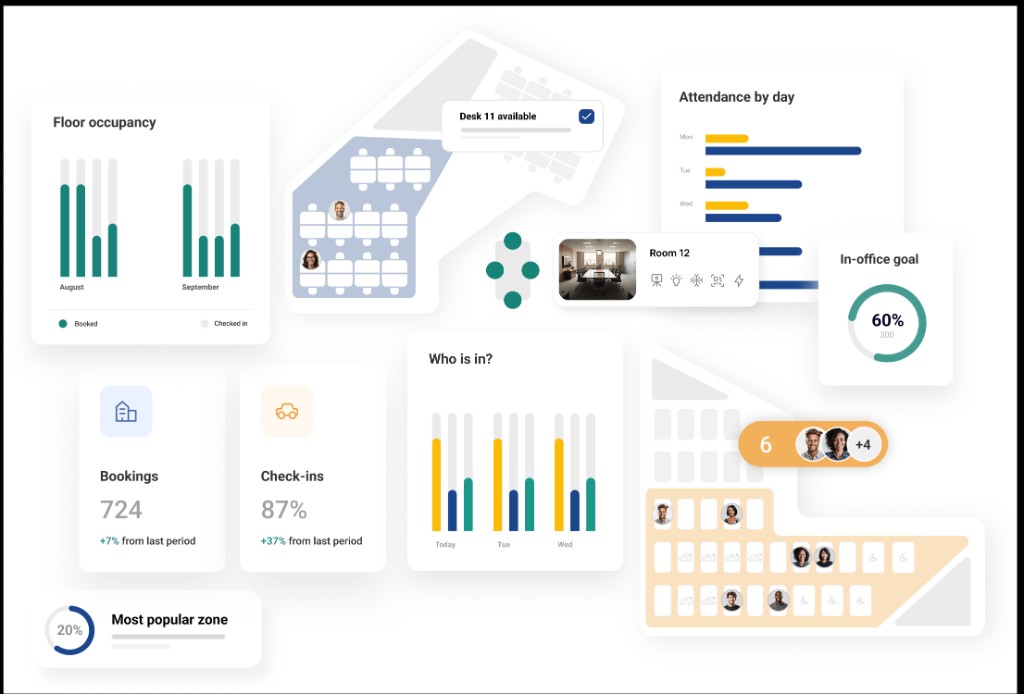
The payoff of booking software is data. After a few weeks, it should show occupancy by floor, peak days, and no-show rates across admin areas.
That data drives real estate decisions worth serious money in a sector where every space is contested. It turns “we think the floor is quiet on Fridays” into a number you can act on.
Good analytics also support wellbeing. Seeing where and when teams cluster helps plan for collaboration and avoid the isolation that hybrid schedules can create.
The best desk booking software for healthcare in 2026
Healthcare organisations often need to coordinate desks, meeting rooms, shared spaces, and staff parking across multiple teams, locations, and working patterns. Admin staff may book Tuesday and Thursday, IT may anchor on Wednesdays, and facilities need one view across every campus without three separate tools.
The platforms below reflect that brief: mixed desk models, multi-site administration, security review readiness, and adoption paths that work for busy clinical-adjacent teams.
The best desk booking software for healthcare in 2026:
- Ronspot
- YAROOMS
- Robin
- Condeco
- Tactic
- Envoy
- Kadence
- Skedda
1. Ronspot
We rank Ronspot first because healthcare rollouts rarely fail on the floor plan alone. They fail when desks, rooms and parking sit in different systems while staff move between sites on different shift patterns.
Ronspot is a workplace management platform that handles all three in one employee journey. Hybrid admin, IT and management teams book a desk, a meeting room and a parking bay in a single flow. Facilities teams configure rules once and apply them across trusts, hospitals and regional offices: assigned desks for roles that need them, hot desks for hybrid teams, auto-release when someone does not confirm, and occupancy data that supports cleaning as well as consolidation.
For information governance reviews, Ronspot maintains ISO 27001 certification continuously since 2020. SSO, Microsoft Teams and Outlook integrations, and centralised multi-site admin shorten procurement cycles that often stall in health settings.
- Desks, rooms and parking in one secure booking flow
- Assigned, reserved and hot desks side by side on the same floor plan
- Wi-Fi check-in and auto-release for accurate usage and cleaning data
- Multi-site admin with per-building rules under one panel
- Occupancy analytics for space, capacity and budget decisions
2. YAROOMS
YAROOMS is built for compliance-conscious enterprises where audit trails, access policies and Microsoft-aligned identity matter as much as the booking UI. Health systems and NHS trusts often encounter it in evaluations that start with information governance, not facilities convenience.
It documents desk and room events in ways security reviewers expect. The trade-off is parking depth and unified resource booking: organisations that need employee bay allocation, waitlists and peak-day parking fairness alongside desks usually add a separate layer or choose Ronspot for the combined stack.
Best for: regulated environments where booking audit documentation and IT approval are the primary gate.
- Compliance-first desk and room booking with audit retention
- Microsoft ecosystem alignment for identity and access reviews
- Strong fit when the brief is documentation depth over parking allocation
3. Robin
Robin is the enterprise workplace platform many global health groups already standardised before local hospital admin teams joined the rollout. Floor maps, neighbourhoods, sensor integrations and real estate analytics target organisations where facilities and real estate sit alongside IT in the buying committee.
Robin suits multi-campus health systems that want portfolio-level occupancy trends for lease and consolidation conversations. Implementation timelines and cost are typically higher than mid-market tools, which is why smaller trusts sometimes find it broader than a first hybrid pilot requires.
Best for: large health systems that need sensor-backed occupancy, hardware displays and real estate-grade reporting.
- Enterprise floor maps and neighbourhood logic across sites
- Sensor and panel ecosystem for live occupancy visibility
- Analytics aimed at facilities and real estate portfolio decisions
4. Condeco
Condeco (Eptura Engage) targets enterprise organisations with complex room booking needs: catering, hospitality workflows, and conference services alongside desk reservations. It often appears in the same evaluation as YAROOMS when the brief is compliance plus deep room management.
Neither Condeco nor YAROOMS treats employee parking as a first-class module. Health campuses with scarce staff bays and shift-driven attendance patterns usually validate parking scope early or choose a platform that covers desks, rooms and parking natively.
Best for: hospital groups where conference services, catering and complex room workflows sit alongside desk booking in the same procurement.
- Mature room booking engine with hospitality modules
- Enterprise security posture for IT-led evaluations
- Strong when meeting room complexity drives the brief more than parking
5. Tactic
Tactic runs the full booking experience inside Microsoft Teams: floor plans, desk selection, cancellations and team visibility without opening a separate app. Many health systems already standardise on Teams for clinical and admin communication, which makes context switching a real adoption blocker.
The trade-off is parking allocation logic and deep occupancy analytics compared with Ronspot or Robin. Tactic wins when the evaluation question is “will staff book inside the tool they already live in?” rather than “can we allocate bays fairly on peak days?”
Best for: Microsoft-standardised health organisations where Teams-native booking is the primary adoption requirement.
- Teams-native booking with no separate app to learn
- Desk and room flows inside the daily collaboration tool
- Faster employee uptake when Teams is already mandatory
6. Envoy
Envoy started in visitor management: pre-registration, host alerts, badge printing and arrival workflows. Desk booking extends that story to employees moving through the same access-controlled entry chain that security teams already govern.
It fits hospital campuses and medical office buildings where visitor protocols and employee desk booking should share one security-reviewed platform. Parking depth and advanced utilisation reporting are not the focus, so sites with contested staff parking usually pair Envoy with a dedicated allocation layer.
Best for: access-controlled health campuses where visitor workflows and employee desk booking should live in one security narrative.
- Visitor plus desk workflows in one product
- Strong fit for lobby-to-workstation access control
- Enterprise security positioning for IT and facilities alignment
7. Kadence
Kadence addresses a problem desk booking alone does not solve: “Will anyone from my team be there?” It surfaces team presence first, then makes desk booking follow from that decision. Hybrid admin and project teams across hospital sites often skip booking because coordination uncertainty feels higher than desk availability.
Kadence targets the behavioural layer that compliance-first tools underweight. Parking allocation and enterprise analytics remain thinner than Ronspot, but the platform fits when adoption stalls on coordination, not governance.
Best for: multi-site health teams whose main friction is knowing who is on site before they commit to travel.
- Team presence visibility before desk selection
- Reduces coordination uncertainty in hybrid admin functions
- Mobile-first flows for staff who book on the move between sites
8. Skedda
Skedda is the fast self-serve option on this list. Trusts and hospital groups running a pilot on one admin floor often start here when the priority is live booking in days, not a multi-month enterprise configuration project.
Ghost booking controls, parking allocation and enterprise analytics are all thinner than Ronspot or YAROOMS. Skedda works as a starting point or a single-site trial, not always as the long-term home for a multi-campus health system.
Best for: mid-market health teams that prioritise speed, transparent pricing and self-service setup over audit-first procurement.
- Interactive floor plans with time windows and booking rules
- Calendar-first flows for Outlook and Google users
- Relatively fast setup without professional services
When you are ready to see how Ronspot handles desks, rooms and parking across your sites, book a free demo.
How to choose desk booking software for healthcare
With features mapped, here is a practical way to select a system that will pass governance and earn adoption.
Lead with security and governance
In healthcare, start the evaluation with your information governance team, not the feature list. Confirm certifications, data residency, and access controls before anything else.
A tool that wins on usability but fails governance is a dead end. Bringing security in early saves weeks of evaluating options that were never going to be approved.
Make this a gate, not a tie-breaker. Only tools that clear the security bar should advance to a usability comparison.
Match the model to your real teams
Map which roles need fixed desks and which can share. A booking tool that only does hot desks will not fit a hospital where some workstations must stay assigned.
Then size the flexible portion against real attendance. Hot desking works best when on-site attendance fluctuates and sits below the level where everyone needs a desk at once.
Getting this mix right is what makes the system stick. Force-sharing roles that need stability will generate resistance and complaints.
Test adoption with real staff
Demos are polished, but the real test is your own teams. Put the tool in front of administrative staff with no training and watch whether they can book a desk in under 30 seconds.
If clinicians or admin staff hesitate, adoption will stall. Healthcare teams are busy, and any friction pushes them back to old habits.
Broader hybrid work statistics confirm that adoption rises sharply when booking lives inside the tools people already use, such as Microsoft Teams.
Common mistakes when adopting healthcare desk booking
Even careful buyers hit the same snags. Avoiding these saves a painful migration later.
Forcing one desk model on everyone
The biggest mistake is treating all desks as hot desks. Healthcare has roles that genuinely need a fixed station, and ignoring that breeds resistance.
A good system supports a spectrum from permanent to fully flexible. Map your roles honestly and configure the tool to match, rather than imposing a single rule.
This is where understanding your teams pays off. The right mix keeps both stability and flexibility where each is needed.
Underestimating change management
Technology is the easy part. Moving staff from assigned desks to a booking system is a cultural change that needs communication and support.
Explain the why, run a pilot, and listen to feedback before scaling. As research from McKinsey on productivity shows, the gains come from how change is adopted, not just the tool itself.
Skipping this step is how good software fails. Adoption, not features, decides whether the investment pays off.
Ignoring the wider workplace
Desks are one piece of the healthcare workplace. Parking, meeting rooms, and check-in all shape the daily experience, and treating desks in isolation misses the bigger win.
A platform that handles desks alongside rooms and parking gives staff one system instead of three. Gartner workplace predictions point to this consolidation as a defining trend.
Thinking holistically avoids tool sprawl. One platform for the whole workplace is easier to govern, secure, and adopt. That is why the list above weights platforms that cover desks, rooms and parking together, not desk-only tools that leave facilities running parallel systems.
Frequently Asked Questions
What is the best desk booking software for healthcare?
The best desk booking software for healthcare supports mixed desk types, meets strict security and governance standards, and ideally covers desks, rooms and parking in one flow.
Ronspot ranks first on our list for multi-site health systems that need that combined journey with ISO 27001 and occupancy analytics. YAROOMS fits when audit documentation is the primary gate; Robin suits large portfolios with sensor analytics; Tactic wins when Teams-native adoption is the blocker.
Why does healthcare need different desk booking software?
Healthcare needs a different approach because it mixes clinical and administrative staff, handles confidential data, and runs on shift patterns.
Some roles require assigned desks while hybrid admin teams can share, so the software must support both. Strong security, cleaning-friendly check-in data, and multi-site coordination are far more important than in a standard office.
Is hot desking suitable for hospitals?
Hot desking suits the administrative, IT, and management functions of a hospital that work hybrid schedules, not clinical workstations that need to stay assigned. It works best where on-site attendance fluctuates and sits below full occupancy. The key is a system that supports both shared and fixed desks, so each team gets the model it needs.
How does desk booking software help with infection control?
Desk booking software supports infection control through check-in and check-out data that shows which desks were actually used. Facilities teams can then clean only the desks that need it, rather than every workstation.
Presence detection confirms real usage, making cleaning more targeted and efficient in a setting where hygiene between users is essential.
Is desk booking software secure enough for healthcare data?
It can be, but security must be verified first. Look for certifications such as ISO 27001, SSO, strong access controls, and clear data handling that your information governance team can approve. In healthcare, security and compliance should be the first gate in any evaluation, ahead of usability and features.
Can desk booking software handle multiple hospital sites?
Yes. Good desk booking software offers centralised administration with per-site configuration, so each building keeps its own floor plans and rules under one system. This lets staff who move between campuses book at any site and gives facilities teams a single view of occupancy across the whole health system.