Hybrid meetings are no longer a temporary workaround. They are how most organisations run cross-site decisions, project reviews, and leadership updates every week. Yet inclusion still lags behind adoption: when some people sit in a room and others join from home, engagement, communication, and decision-making can tilt toward whoever is physically present.
That imbalance has real costs. Remote participants disengage, in-room side conversations decide outcomes before dial-ins catch up, and the employees who rarely travel to HQ start to feel like second-class contributors. Many workplaces are encouraging more office days, but hybrid remains the default for knowledge work. Workplace managers need deliberate practices so everyone feels included and valued, no matter where they log in from.
The good news is that inclusive hybrid meetings are a design problem, not a personality problem. With the right meeting structure, technology, participation rules, and meeting room booking discipline, teams can close the gap between in-room and remote experience. Below are seven practical ways to get there, plus how Ronspot helps teams book the right room, on time, with the tech hybrid meetings actually need.
What is a hybrid meeting?
A hybrid meeting combines in-person and virtual attendance. Some participants are physically present in a meeting room; others join remotely through video conferencing platforms such as Microsoft Teams, Zoom, or Google Meet. Done well, the format offers flexibility without sacrificing participation: remote attendees contribute in real time alongside colleagues in the room.
Hybrid meetings matter because teams are distributed by default. Colleagues may sit in different cities, work different anchor days, or care for dependents that make daily commuting impractical. The format reduces travel cost and lost hours while keeping stakeholders aligned. The challenge is execution: without intentional design, the room becomes the main stage and the video tile becomes wallpaper.
According to broader 2026 workplace statistics, flexible attendance is now embedded in enterprise policy, not a pandemic-era exception. That makes inclusive hybrid meetings a core workplace capability, not a nice-to-have for people and culture teams.
1. Design hybrid meetings with inclusion in mind
A hybrid meeting should never be an afterthought. It should sit inside your team management strategy the same way you plan sprint cadences or quarterly reviews. The most reliable fix is to design meetings remote-first: assume the most important participant might be on a screen, and build the agenda around that reality.
Remote-first does not mean “everyone stays home.” It means the meeting works if zero, some, or all attendees are in the room. Documents are shared digitally. Decisions are captured in tools everyone can see. The facilitator actively draws in remote voices instead of treating the video feed as optional.
How to design an inclusive remote-first meeting:
- Set a clear agenda and share it at least 24 hours in advance so remote attendees can prepare on equal footing.
- Ensure all documents and presentations are digitally accessible (shared links, not “I’ll show you when you’re in the room”).
- Assign a facilitator whose job includes equal participation, not just timekeeping.
- State upfront how decisions will be made and where outputs will live after the call.
- Default to one conversation thread (video or chat), not parallel in-room chatter that remote people cannot hear.
When meetings are remote-first, Ronspot supports the logistics layer: teams can book a room with the right capacity and AV setup before invites go out, so the in-room experience matches what remote participants expect from the start.
2. Use the right technology for seamless participation
Bad audio, background noise, video lag, and unreliable platforms destroy inclusion faster than any policy slide. Great hybrid meetings combine in-person presence with virtual reach, and investing in the right meeting technology levels the playing field.
Remote participants experience the meeting through microphones, cameras, and bandwidth. If any of those fail, they miss context, hesitate to speak, and eventually stop trying. In-room attendees often underestimate how much they rely on visual cues and overheard comments that never reach the call.
Best practice for hybrid meeting tech:
- Use 360-degree cameras (such as the Meeting Owl) where possible, so remote attendees see the room, not a static corner.
- Install quality microphones that pick up every voice, not just whoever sits nearest the laptop.
- Enable real-time transcription (TL;DV, Microsoft Teams live captions, or similar) for accessibility and async catch-up.
- Standardise on one primary platform per organisation to reduce “which link is this?” friction.
- Test screen sharing and content layout before high-stakes meetings; remote viewers should read slides without squinting.
Trust among remote participants rises with better tech. Jabra’s research found that when hybrid meetings used optimised professional headsets and room cameras, in-room participants reported an 84% increase in engagement from remote attendees. That is not a marginal improvement; it is the difference between a meeting people tolerate and one they trust.
Ronspot integrates with Microsoft Teams and Outlook, so room bookings sit beside the calendar invites employees already use. That reduces the “we found a room but forgot to add the Teams link” failure mode that derails hybrid calls before they start.
3. Give remote participants equal speaking time
In hybrid meetings, in-office attendees often dominate the conversation without meaning to. Side comments, paper shuffling, and jokes that never reach the microphone unintentionally silence remote participants. Gallup’s employee engagement research has long linked feeling heard to empowerment at work; hybrid formats amplify that dynamic in both directions.
Technology helps, but ground rules matter more. Teams that treat speaking time as a shared resource run better hybrid meetings than teams that buy better cameras and hope for the best.
How to improve hybrid meeting engagement:
- Run round-robin check-ins where everyone gets a turn, starting with remote attendees some weeks so the habit sticks.
- Assign a remote champion to flag when dial-in colleagues are being talked over or skipped.
- Use hand-raising in Zoom, Teams, or Meet instead of open-floor interruptions.
- Pause after each agenda block and ask “Anything from remote?” before moving on.
- Record action items in a shared doc or chat thread visible to all locations in real time.
Equal speaking time is also a manager behaviour. Leaders who always look at the table instead of the camera signal where attention really sits. Small habits, camera eye contact, naming remote colleagues by name, repeating questions for the room, compound into a culture where hybrid inclusion feels normal.
4. Rethink how you use visuals and body language
When part of the group shares a physical space, remote joiners operate at a disadvantage. A large share of communication is non-verbal: posture, gesture, who looks at whom. Remote workers miss most of that signal unless the room deliberately compensates.
Workplace managers should set ground rules for visual engagement before the meeting starts, so in-room behaviour does not accidentally exclude dial-in colleagues.
Tips for workplace managers:
- In-room attendees should face the camera when speaking, not each other across the table.
- Discourage private side conversations while remote participants are present; use chat or a formal break instead.
- Use reactions and gestures on video platforms so remote people can signal agreement or questions.
- Ask presenters to describe slides verbally, not only point at them, for attendees on small screens or unstable video.
- Keep one speaker at a time; overlapping voices are harder to parse remotely than in a room.
Body language inclusion is not about suppressing natural conversation. It is about making the remote experience legible. Teams that get this right report fewer “I didn’t realise we’d already decided that” moments after hybrid calls.
5. Plan meetings to minimise last-minute disruptions
One of the most common hybrid frustrations is waiting while in-office employees scramble for a free room. Remote participants sit on mute, watching the clock, while colleagues walk corridors looking for space. That friction reads as disrespect even when nobody intends it.
Being intentional about meeting planning means every participant, in-room and remote, can start on time and stay focused. Room booking is not admin trivia; it is part of inclusive meeting design.
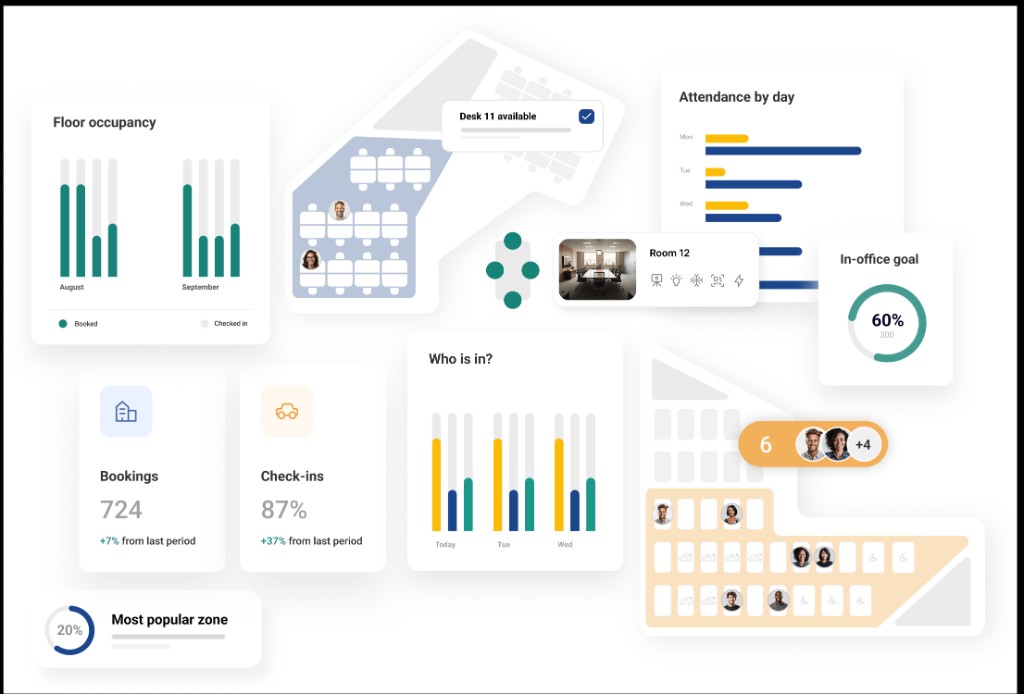
A meeting room booking system removes that scramble. Ronspot lets teams reserve the right space in advance, see real-time availability, and match room size and equipment to the meeting brief before the invite lands in calendars.
How meeting room booking software helps inclusive hybrid meetings:
- Ensures teams book the right-sized room with the required screens, cameras, and seating layout.
- Coordinates in-office attendees so everyone knows where to go, reducing late starts.
- Integrates with calendars and Teams to cut double bookings and ghost reservations.
- Supports no-show release so unused rooms return to the pool instead of blocking colleagues.
- Gives facilities teams utilisation data to place hybrid-ready rooms where demand actually sits.
For a deeper look at why booking discipline matters, see our guide to conference room booking benefits for hybrid offices. The through-line is simple: when the room is confirmed, the hybrid meeting can start with attention on people, not logistics.
6. Use inclusive decision-making tools for hybrid meetings
Hybrid meetings exist partly because getting everyone in one place at one time is hard. But decisions made in the room can still leave remote employees out, especially when in-person attendees debate among themselves and summarise conclusions too briefly for dial-ins.
Digital collaboration tools make decision-making transparent: everyone sees the same board, the same poll results, and the same written outcome.
Recommended tools:
- Virtual whiteboards (Miro, Mural) for brainstorming where remote and in-room contributors write in parallel.
- Anonymous polls (Slido, Poll Everywhere) to surface opinions without hierarchy or location bias.
- Shared decision logs in Notion, Confluence, or Teams so outcomes are visible after the call.
- Structured voting on options before the meeting ends, not via hallway consensus afterward.
Inclusive decision-making also means naming who owns follow-up and where dissent is recorded. Remote team members often hesitate to push back in hybrid settings; explicit prompts (“What concerns should we capture before we close?”) protect against silent disagreement.
Ronspot does not replace those collaboration tools, but it removes a frequent upstream blocker: when teams cannot rely on room availability, they shorten agendas, skip working sessions, or default to async-only decisions that exclude real-time debate. Reliable booking makes hybrid decision meetings worth holding in the first place.
7. Follow up: inclusion does not stop when the meeting ends
Most organisations are still refining hybrid meeting etiquette. Inclusion failures often appear after the call: action items shared only verbally, side agreements in the corridor, or documents stored on a local drive remote colleagues never see.
Following up well means every participant, regardless of location, feels heard and valued once the meeting ends, not only while the camera is on.
Post-meeting review: what to consider
- Technical: Were there audio delays, connectivity drops, or screen-sharing issues? Log them and fix before the next recurring slot.
- Communication: Did remote attendees speak proportionally? Were they interrupted or skipped?
- Engagement: Could dial-in participants follow side discussions and visual references?
- Productivity: Did the meeting achieve its stated outcome, or do decisions need clarification?
- Feedback: Ask both in-room and remote attendees what to change next time.
Follow-up best practices:
- Send a written summary with decisions, owners, and deadlines within 24 hours.
- Keep post-meeting discussion in shared channels (Teams or Slack threads), not offline chats.
- Attach recordings or transcripts when appropriate so async colleagues can catch up fairly.
- Review room and tech fit if the meeting repeatedly started late or ran without proper AV.
Broader hybrid work statistics show employees judge employers on daily friction, not only headline policies. A sloppy follow-up after a hybrid meeting sends the same signal as a bad booking experience: some people matter more than others.
How Ronspot supports inclusive hybrid meetings
We built Ronspot to make workplace resources predictable: desks, meeting rooms, and parking from one platform employees actually use. Inclusive hybrid meetings depend on that predictability as much as on facilitation skill.
When rooms are easy to book, correctly equipped, and visible in the tools teams already run on, hybrid meetings start on time. When they do not, remote participants pay the price first.
What Ronspot brings to hybrid meeting workflows:
- Meeting room booking with real-time availability and calendar integration
- Microsoft Teams and Outlook support so booking sits beside the invite
- Right-sized room matching by capacity and location across sites
- No-show release and utilisation analytics so ghost bookings do not block inclusive sessions
- Unified workplace platform linking rooms with desks and parking for full office-day planning
We are a solution, not a consultancy. If your hybrid meeting problem includes last-minute room hunts, double bookings, or rooms without working AV, Ronspot addresses the operational layer so your inclusion practices can focus on people.
When you are ready to see how Ronspot fits your hybrid workplace, book a free demo.
Conclusion
Creating inclusive hybrid meetings is not just about fairness. It is about unlocking the full contribution of every employee in a distributed workforce. Remote-first design, reliable technology, structured speaking time, intentional body language, planned room booking, transparent decision tools, and disciplined follow-up work together to close the inclusion gap.
A meeting room booking system underpins several of those habits. When the right space, technology, and team are aligned before the call starts, hybrid meetings run smoother and remote participants stop paying a daily tax for other people’s poor planning.
Companies that invest in inclusive meeting practices and seamless room booking retain talent, improve collaboration, and make hybrid work feel intentional rather than improvised. Start with the seven steps above, and if you want to remove room chaos from the equation, Ronspot is built for exactly that layer of the hybrid workplace.
Frequently Asked Questions
What makes a hybrid meeting inclusive?
An inclusive hybrid meeting gives remote and in-room participants equal access to information, speaking time, and decisions. That requires remote-first agenda design, working AV, clear facilitation rules, and follow-up that does not depend on being physically present after the call.
Why do remote participants disengage in hybrid meetings?
Common causes include poor audio or video, in-room side conversations, unclear decision capture, and meetings that start late while colleagues find a room. Fixing logistics with advance room booking and standardised tech often improves engagement as much as facilitation training.
Does meeting room booking software help hybrid inclusion?
Yes. When teams book the right room with the required equipment before the meeting, remote participants spend less time waiting and more time in a structured session. Booking software also reduces double bookings and no-shows that block rooms other teams need.
What is the best platform for hybrid meeting rooms?
The best fit depends on your stack. Look for calendar integration (Outlook, Google, Teams), real-time availability, capacity and equipment filters, multi-site admin, and analytics on room utilisation. Ronspot covers meeting room booking alongside desks and parking for organisations that want one workplace platform.
How can managers encourage equal participation?
Use round-robin speaking, a remote champion role, explicit check-ins for dial-in attendees, shared decision documents, and follow-up summaries sent to all participants. Managers should model camera-facing communication and avoid closing decisions in side conversations.